Home

Designing a Complete Employee E-Learning Web Platform

Industry

Education, B2B/B2C

My Role

Lead Designer

Team Structure

UX/UI Designer, BA/PM, External Engineers

timeline

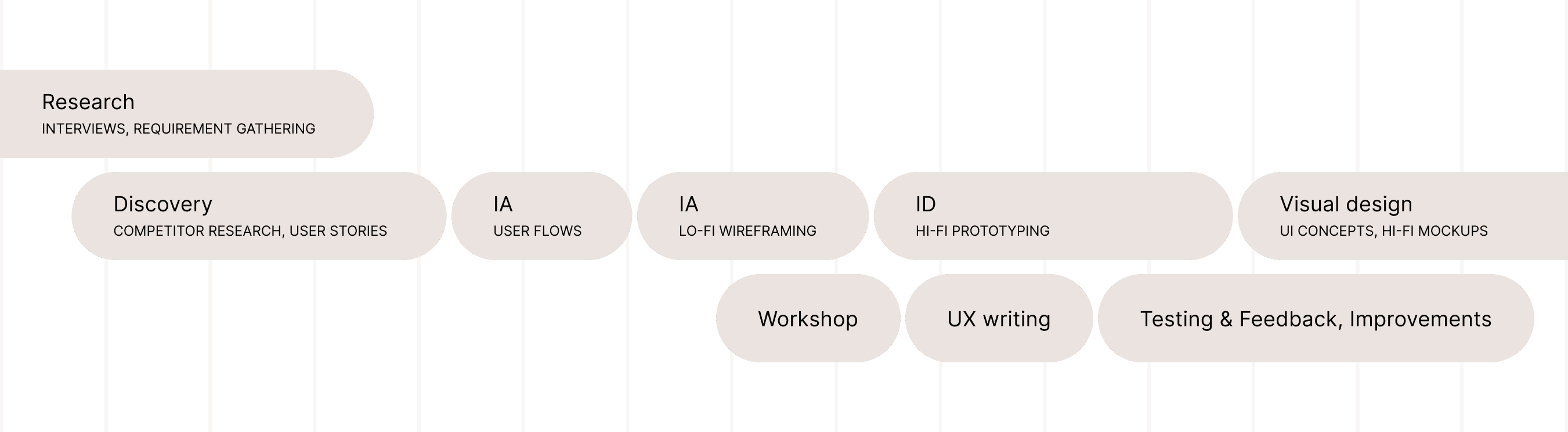
August–October 2023
Summary

SODI is an educational platform designed for personnel involved in educational facilities. Initially aimed at internal users, SODI plans to expand its functionalities and sell access to external organizations, creating a B2B/B2C solution.

MVP

Ready for development hand-off, and revenue generation

MVP

Ready to handover to development, and to revenue generation

UI Kit

Scalable component kit with a potential to grow into a design system

UI Kit

Scalable component kit with a potential to grow into a design system

Problem

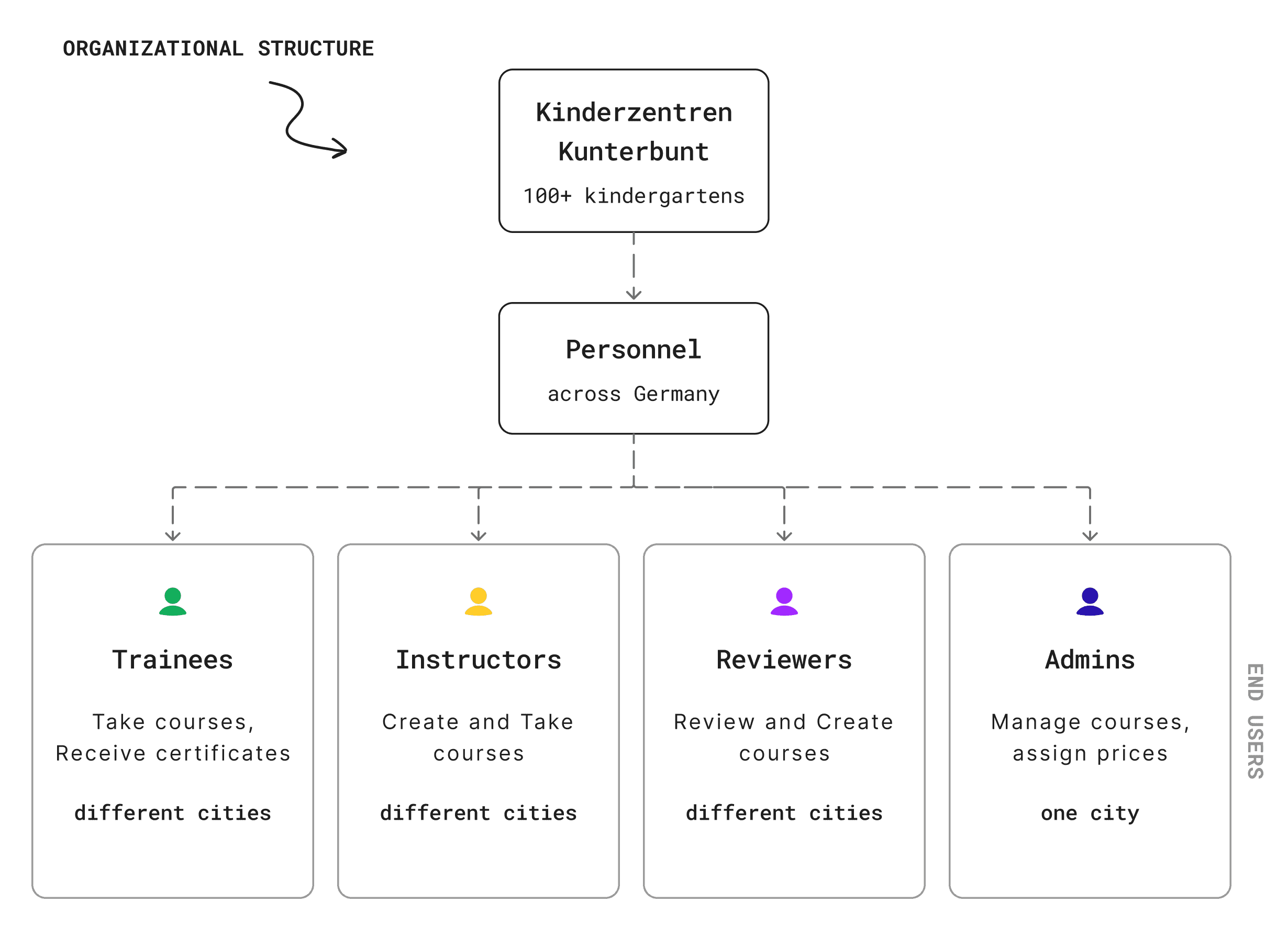
The organization Kinderzentren Kunterbunt manages 100+ kindergartens across Germany. Its personnel has to complete annual courses, such as "Security Training" or "First Aid Basics" and others.

  • Courses are delivered in paper or digital formats (PDFs, PowerPoints, videos), requiring employees to travel for assessments, making the process time-consuming and costly.

  • Managing and updating courses requires staff coordination via email and phone, causing delays and inefficiencies.

The organization Kinderzentren Kunterbunt manages 100+ kindergartens across Germany. Its personnel has to complete annual courses, such as "Security Training" or "First Aid Basics" and others.

  • Courses are delivered in paper or digital formats (PDFs, PowerPoints, videos), requiring employees to travel for assessments, making the process time-consuming and costly.

  • Managing and updating courses requires staff coordination via email and phone, causing delays and inefficiencies.

The organization Kinderzentren Kunterbunt manages 100+ kindergartens across Germany. Its personnel has to complete annual courses, such as "Security Training" or "First Aid Basics" and others.


  • Courses are delivered in paper or digital formats (PDFs, PowerPoints, videos), requiring employees to travel for assessments, making the process time-consuming and costly.

  • Managing and updating courses requires staff coordination via email and phone, causing delays and inefficiencies.

Problem

The organization Kinderzentren Kunterbunt manages 100+ kindergartens across Germany. Its personnel has to complete annual courses, such as "Security Training" or "First Aid Basics" and others.

  • Courses are delivered in paper or digital formats (PDFs, PowerPoints, videos), requiring employees to travel for assessments, making the process time-consuming and costly.

  • Managing and updating courses requires staff coordination via email and phone, causing delays and inefficiencies.

The platform aims to streamline course management, creation, and adjustments, while providing an intuitive interface for employees to access courses and earn certificates.

The platform aims to streamline course management, creation, and adjustments, while providing an intuitive interface for employees to access courses and earn certificates.

Process

I conducted a qualitative analysis by reviewing indirect competitors, such as Udemy and Teachable, which offer similar course creation functionalities and course listings. During the design process, I faced several challenges.

I conducted a qualitative analysis by reviewing indirect competitors Udemy and Teachable, which offer similar course creation functions and course listings. During the design process, I faced several challenges.

Challenge #1

Defining User Groups and their Needs
During stakeholder discussions, we specified 4 user types: Trainees, Instructors, Reviewers, and Admins. Their jobs had overlaps (e.g., Creators – creating and studying courses, while Reviewers – also creating and reviewing courses). This complexity made it challenging to map user needs and define user flows.

During stakeholder discussions, we specified 4 user types: Trainees, Instructors, Reviewers, and Admins. Their jobs had overlaps (e.g., Creators – creating and studying courses, while Reviewers – also creating and reviewing courses). This complexity made it challenging to map user needs and define user flows.

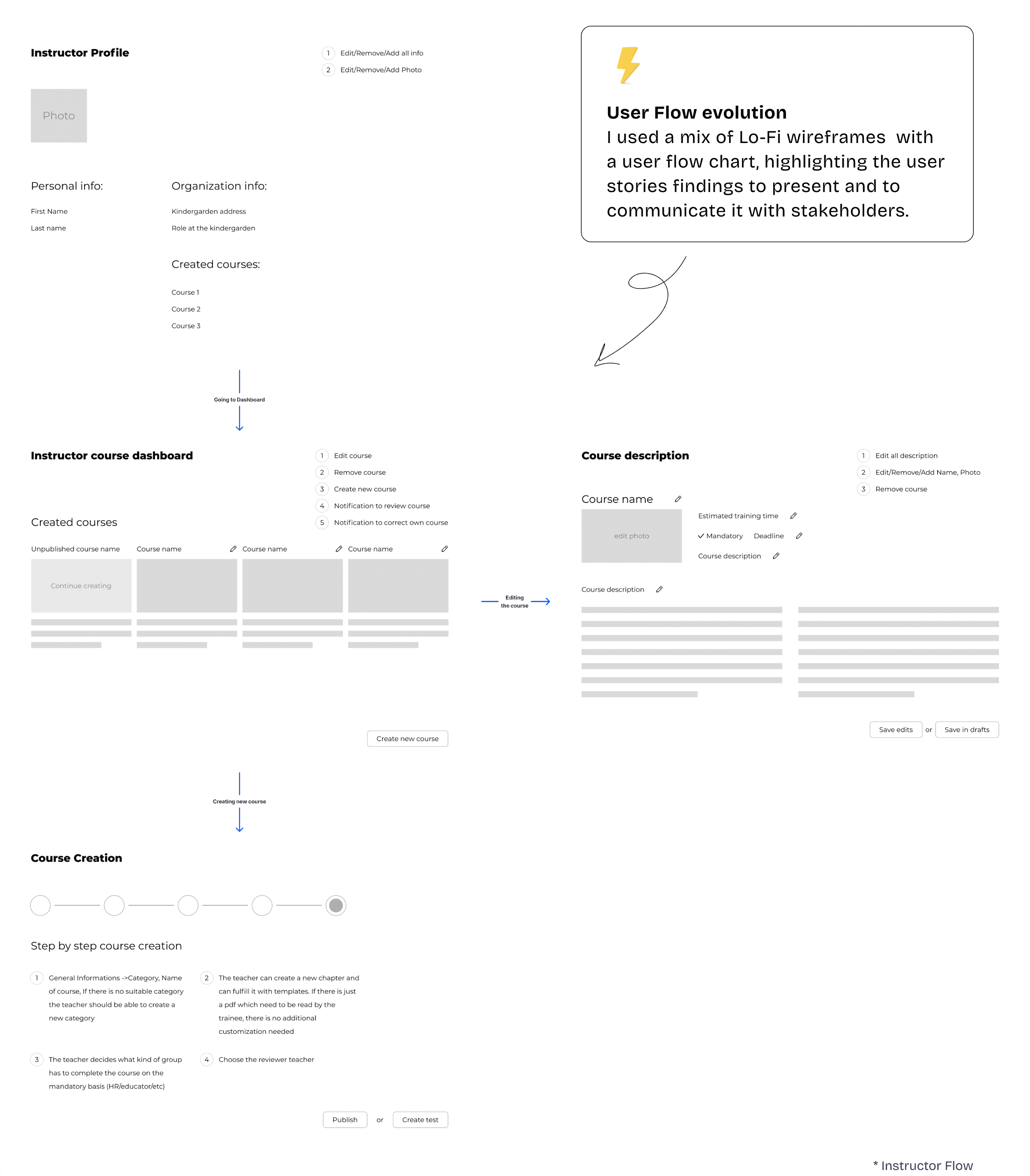
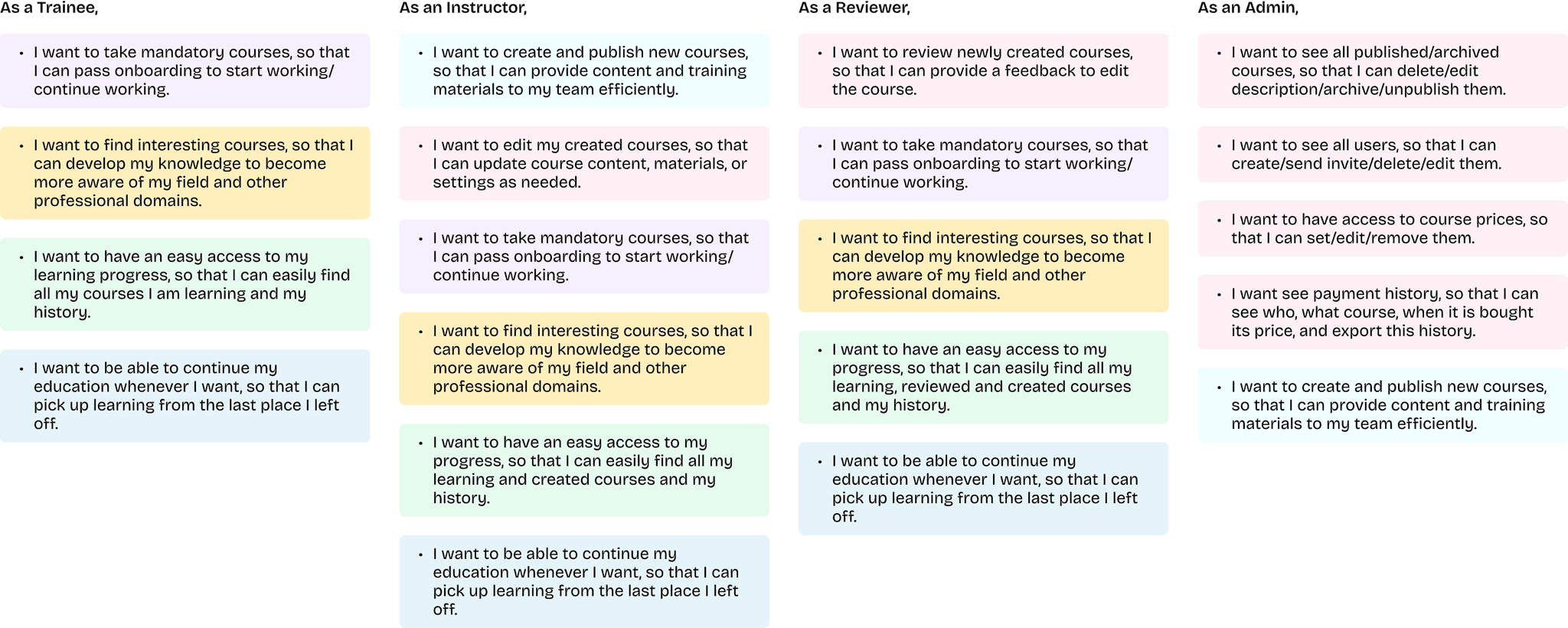
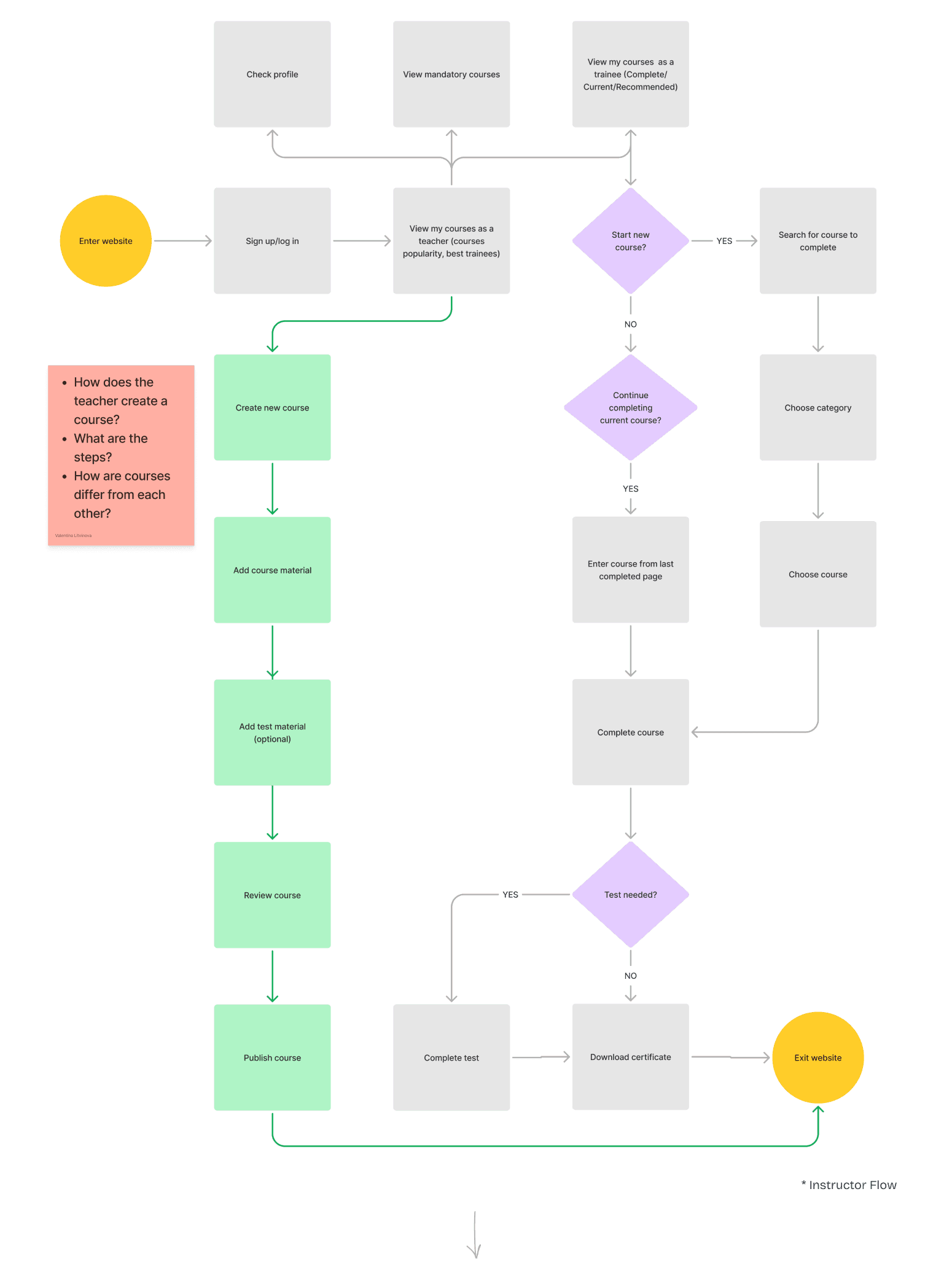
To clarify and prioritize user tasks, I created user stories to capture and address these needs accurately. I then mapped out user flows, discussing and iterating it with a client.

User Stories
User Flows & Lo-Fi Wireframes
Challenge #2

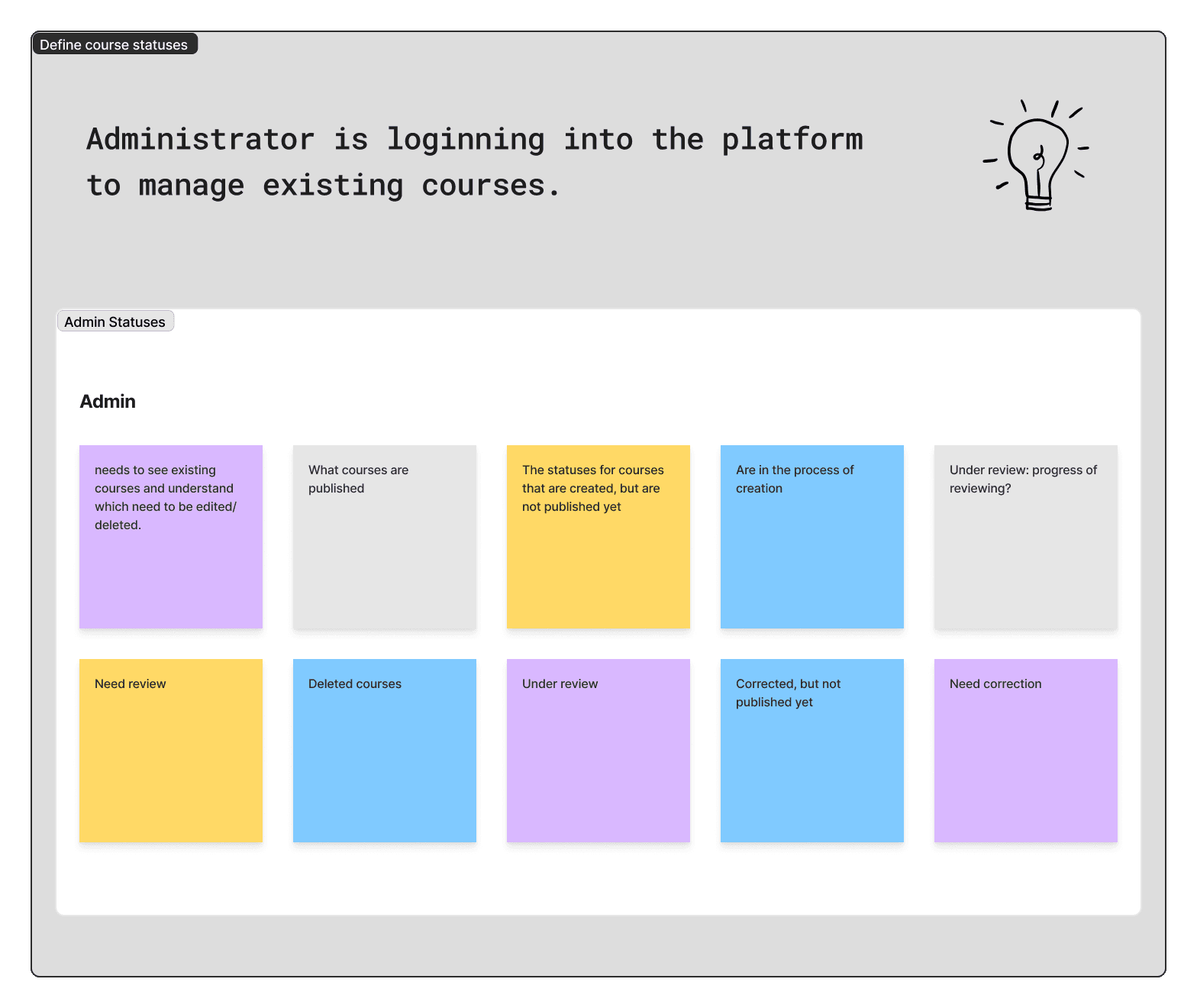
Workshop to Define Course Statuses

Workshop to Define Course Statuses

To keep users informed about the progress and status of their actions within a course, I facilitated a workshop with the BA/PM where we defined scenarios for each user type. This helped us to:

  • Identify user goals for their courses

  • Determine key statuses for tracking progress and actions

  • Ensure each status provides meaningful insights into user interactions
These investigations helped me create a high-fidelity b&w prototype to test the solutions and gather user feedback.

Internal Testing

Internal Testing

Our client and the organization's employees tested the prototype to evaluate the interface. Unfortunately, I didn’t have the opportunity to conduct formal usability testing, but a mix of stakeholder and user feedback helped me make the necessary UI adjustments.

Clickable prototype
UI Concepts

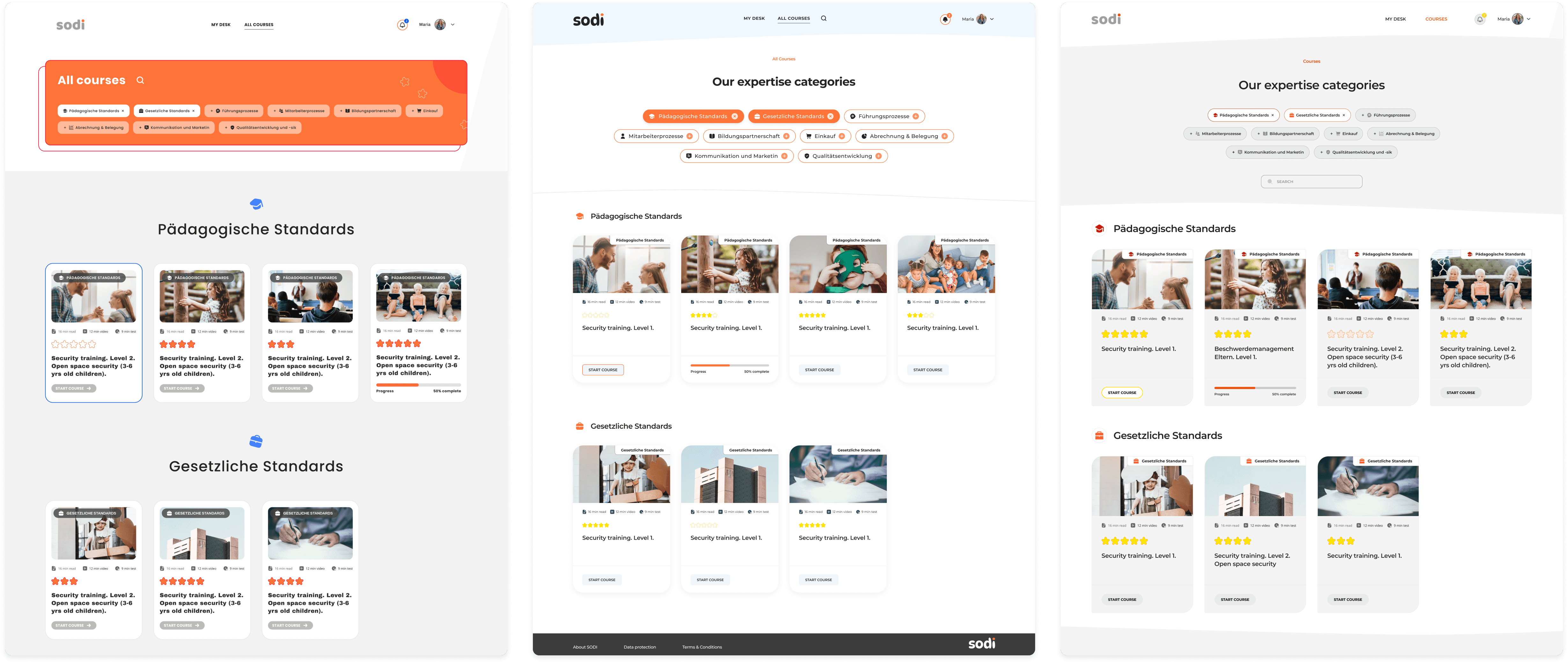
Ideation: Visual Concepts

I presented 3 UI concept screens to the key decision-makers. Based on their input, one design was chosen for additional refinement. Then I developed a comprehensive style guide and a set of components, using them as the basis for designing all subsequent pages.

I presented 3 UI concept screens to the key decision-makers. Based on their input, one design was chosen for additional refinement. Then I developed a comprehensive style guide and a set of components, using them as the basis for designing all subsequent pages.

I presented 3 UI concept screens to the key decision-makers. Based on their input, one design was chosen for additional refinement. Then I developed a comprehensive style guide and a set of components, using them as the basis for designing all subsequent pages.

My approach for UI conceptualization aimed to reflect the existing client's website tone while giving it a more modern and clean look.

My approach for UI conceptualization aimed to reflect the existing client's website tone while giving it a more modern and clean look.

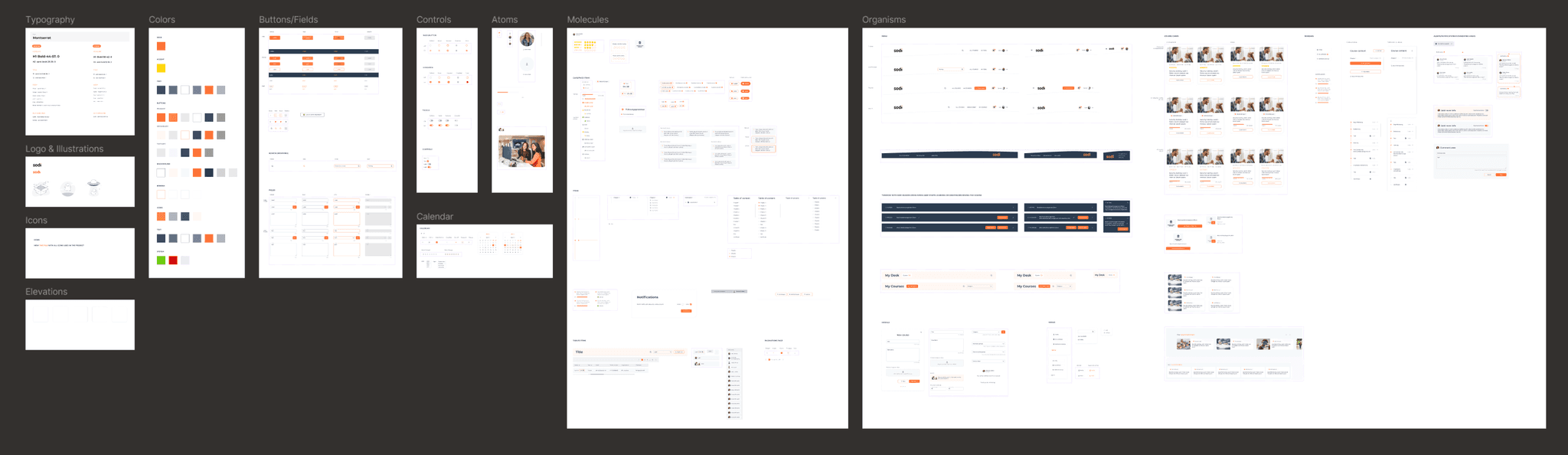
UI Kit

After the visual concept was approved, I began assembling other screens while simultaneously setting up a design system using the atomic design approach.
Final UI

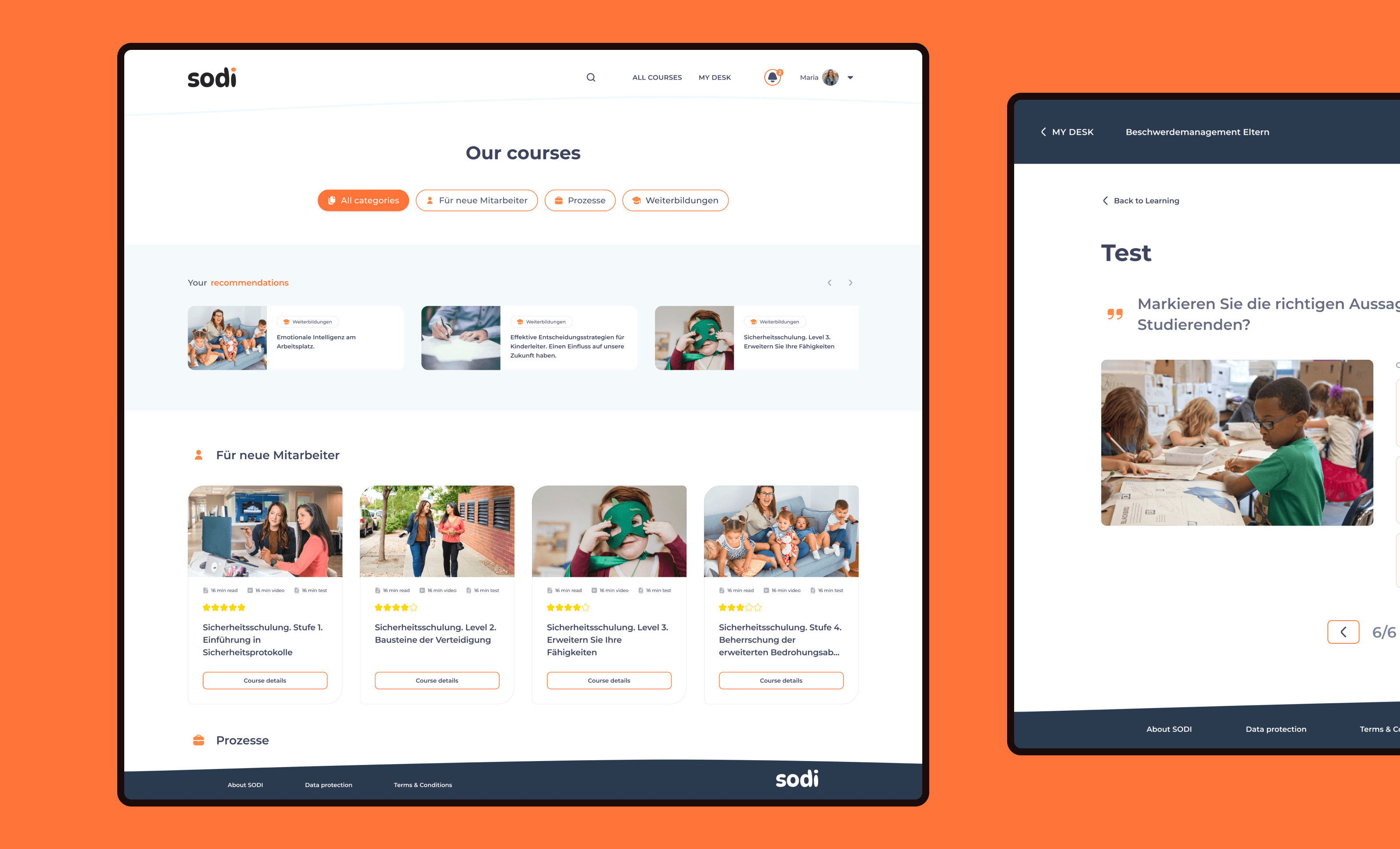
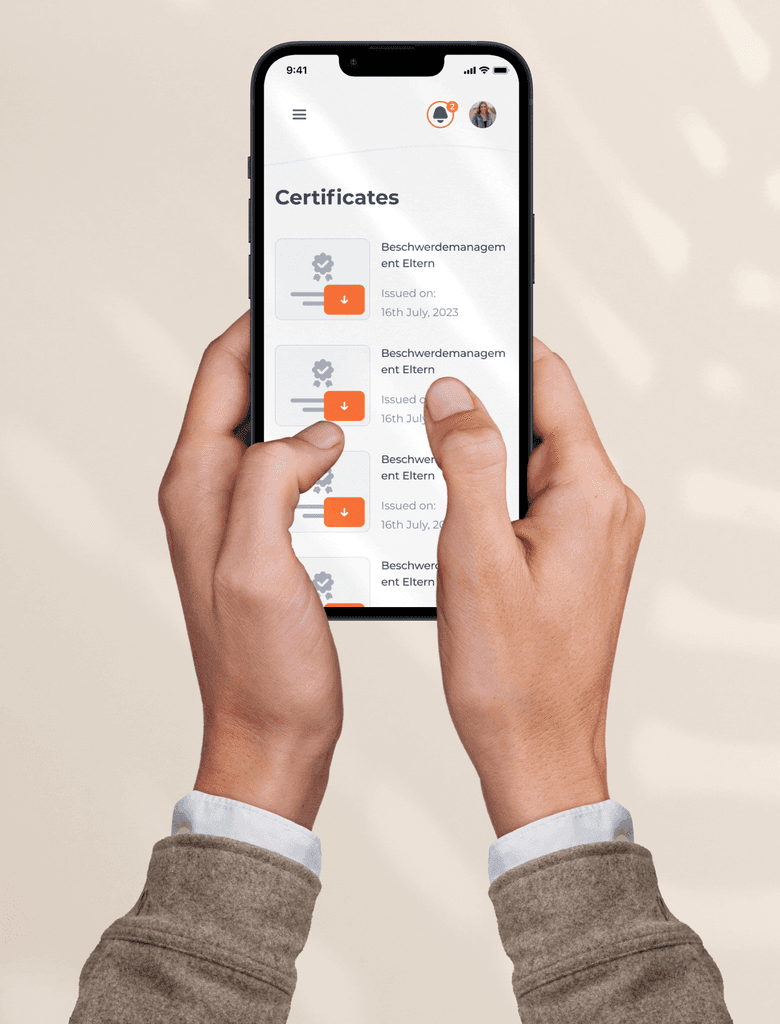
Ultimately, we presented an MVP concept that meets current educational needs, while offering potential for scalability and revenue generation for the business.
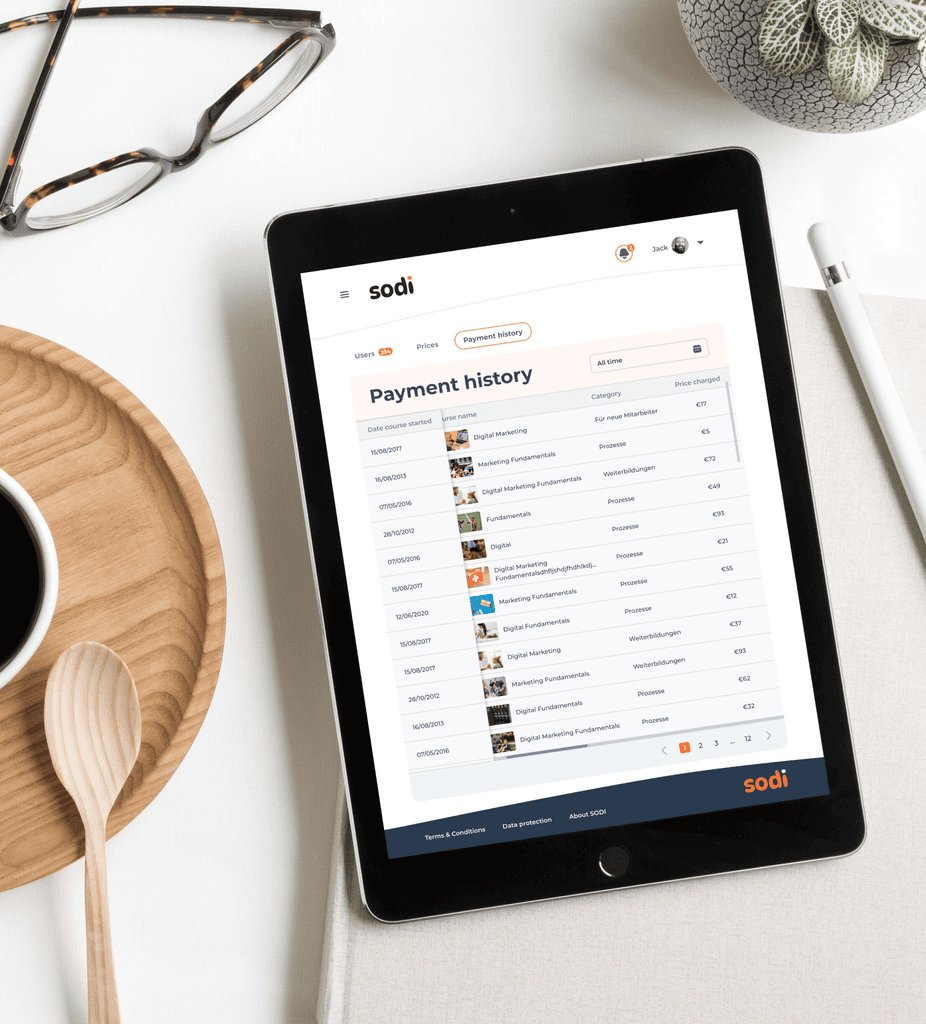
Responsive layouts

Results

2.5 months

From discovery and research to high-fidelity mock-ups and handoff

From discovery and research to high-fidelity mock-ups and hand-off

To €12K

Expected annual savings on travel costs for instructors and printing materials*

*Estimations

Takeaways

Transparancy and educating the client

Transparency and educating the client

This project was a significant milestone for me in terms of being highly adaptable in communication with stakeholders. It was challenging to conduct investigations amidst rapidly changing data. I learned the importance of explaining the design process and the rationale behind using specific frameworks to clients, and I plan to apply this approach in future projects.

A Focus on User-Centered Testing for Effective Design Solutions

Focus on User-Centered Testing for Effective Design Solutions

Identifying the right questions to understand users' processes within the platform was challenging. This experience highlighted the need to thoroughly explore user behaviors, preferences, and pain points. If I were to redo this project, I would prioritize conducting more direct testing with end users to ensure the design effectively addresses their needs.
Create a free website with Framer, the website builder loved by startups, designers and agencies.